
Permanent Denial Management
更新日:2026/11/24
This guide explains how to check the media you have permanently denied, and how to cancel a permanent denial.
The dashboard is available in Japanese only. In this guide, each button and menu is shown in English followed by the Japanese label you will see on screen, for example: Media Management > Permanent Denial Management (メディア管理 > 永久否認管理).
The numbered markers on each screenshot match the numbered items below it.
What is permanent denial?
Permanent denial is a function that denies a media permanently.
Media that you permanently deny on the Partnership Approval screen can be checked on Permanent Denial Management (永久否認管理). You can also cancel a permanent denial there.
How to check permanently denied media
Step 1. Open the Permanent Denial Management page
From the global menu, go to Media Management > Permanent Denial Management (メディア管理 > 永久否認管理).
Step 2. Select the program
Select the program you want to check. You can sort the list in ascending or descending order by clicking the column headings Permanently denied media (永久否認件数) or Publication status (公開ステータス).
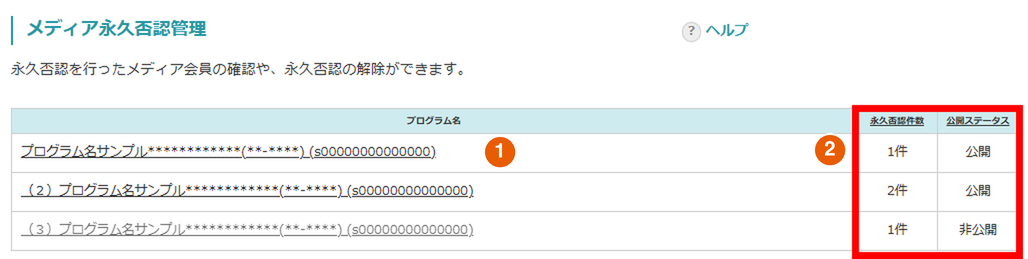
- Program name (プログラム名) – click the name of the program you want to check.
- Permanently denied media (永久否認件数) and Publication status (公開ステータス) – click a heading to sort the list.
Step 3. Check the permanently denied media
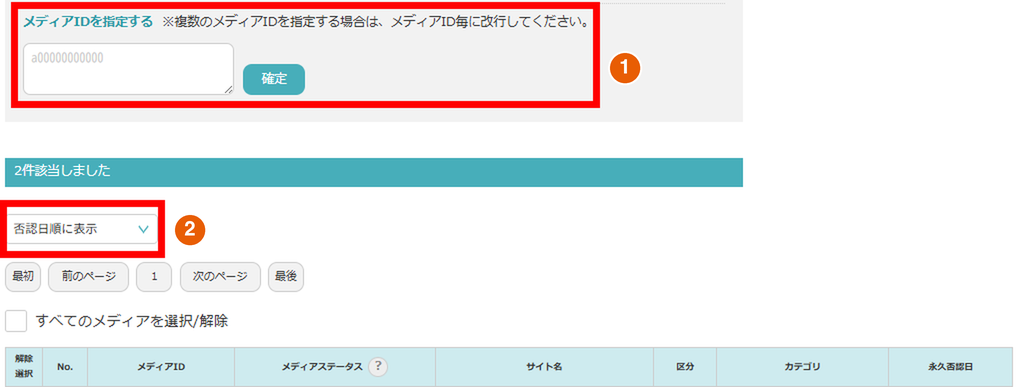
- Specify media IDs (メディアIDを指定する) – you can display specific media by entering their media IDs. To specify several media IDs, enter one ID per line, and click Apply (確定).
- Sort the list – you can sort the list by denial date (否認日順に表示) or by media ID.
How to cancel a permanent denial
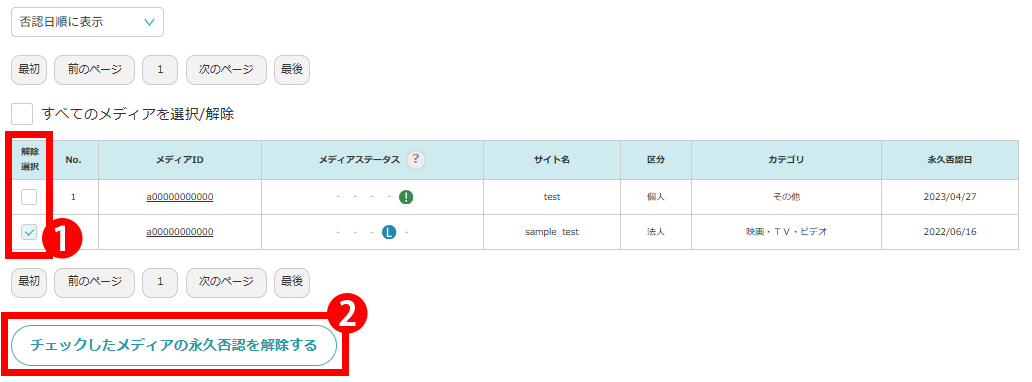
On the Permanent Denial Management page, select the program. While the list of media is displayed, check the box under Select to cancel (解除選択) (1) for each media whose permanent denial you want to cancel. Then click Cancel permanent denial for the checked media (チェックしたメディアの永久否認を解除する) (2).
When Permanent denial cancelled (永久否認解除済み) is displayed, the permanent denial has been cancelled.
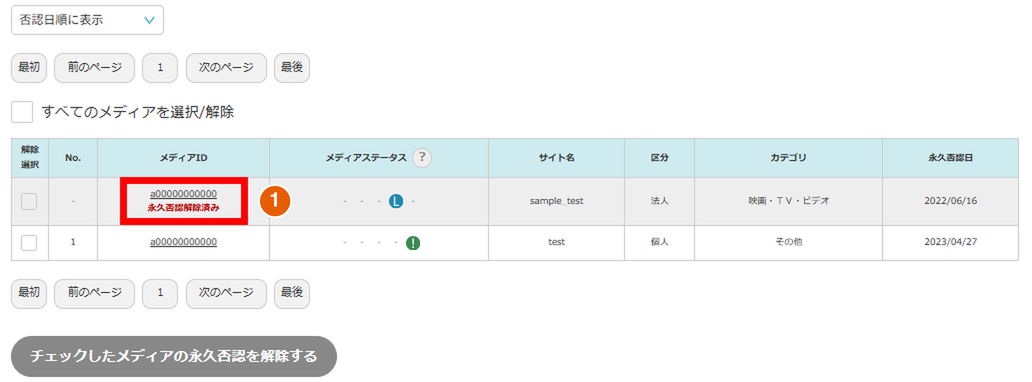
- Permanent denial cancelled (永久否認解除済み) – shown under the media ID when the cancellation is complete.