
Media Device Report
更新日:2026/11/24
This guide explains how to view the Media Device Report in the A8.net advertiser dashboard.
The dashboard is available in Japanese only. In this guide, each button and menu is shown in English followed by the Japanese label you will see on screen, for example: Report > Media Device (レポート > メディアデバイス別).
The numbered orange markers on each screenshot match the numbered items below it.
What is the Media Device Report?
The Media Device Report shows, for each media, how many conversions were generated on each type of device.
- It shows Generated data only.
- You can view data from the first day of the month 14 months ago up to yesterday.
- Data is shown by month.
- Click-based rewards (pay-per-click) are not included. The amounts may therefore differ from those in other reports.
How to view the Media Device Report
Step 1. Open the report
From the global menu, go to Report > Media Device (レポート > メディアデバイス別).
Step 2. Select the program and period
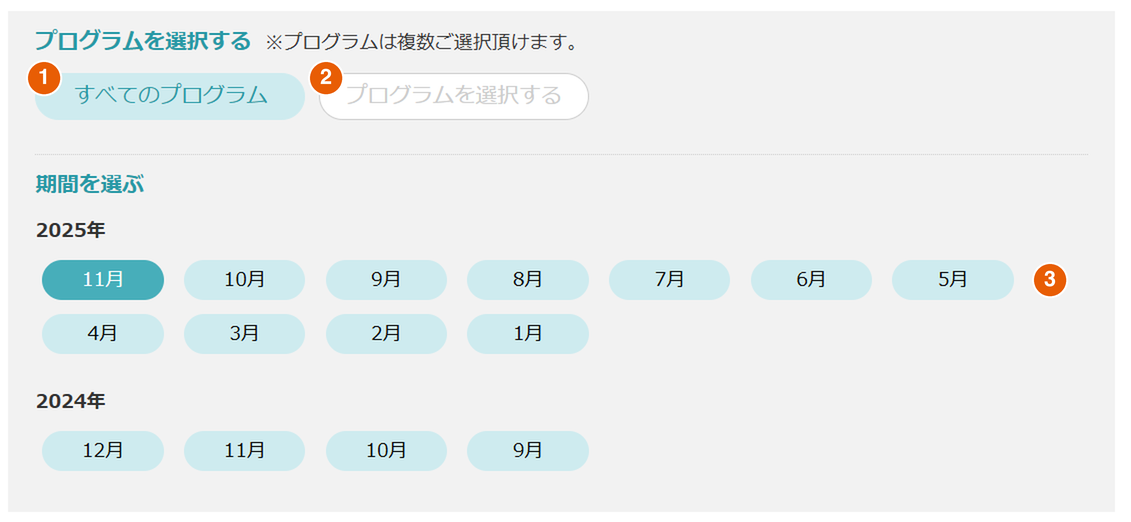
- All programs (すべてのプログラム) – selected by default.
- Select programs (プログラムを選択する) – click to choose the programs you want to view. You can select more than one program.
- Select period (期間を選ぶ) – click a month to view. Months are listed by year, back to 14 months ago.
Step 3. Check the data
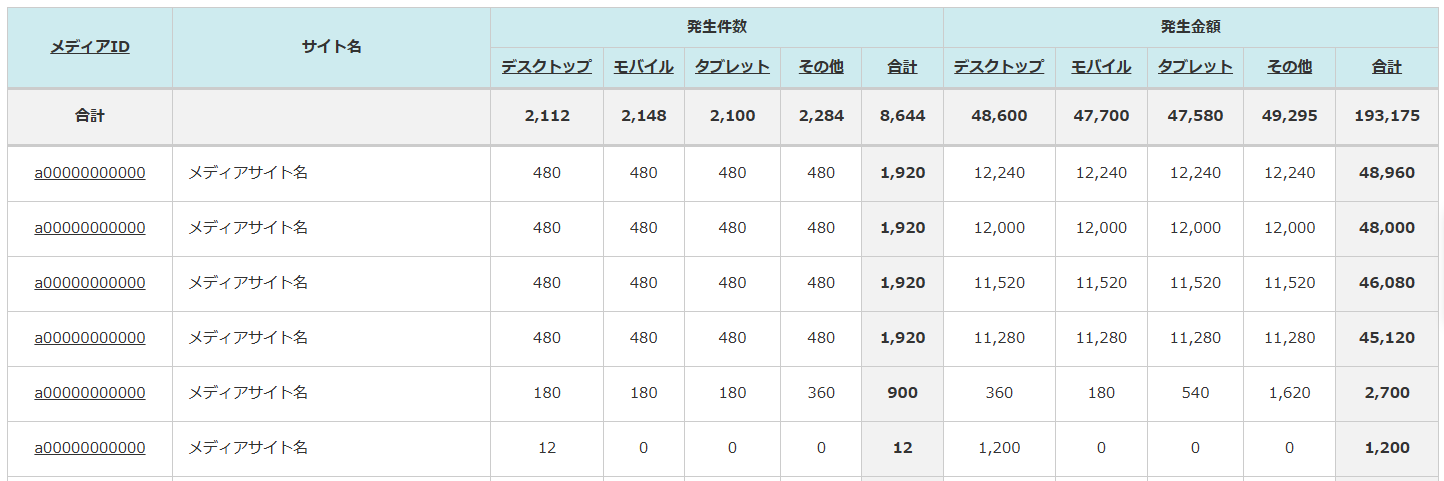
You can also download the data as a CSV or Excel file. The downloaded data also includes OS information, such as iOS and Android.
Column definitions
| Column | Description |
|---|---|
| Desktop デスクトップ |
Computers (PCs) in general, including both desktop and laptop PCs. |
| Mobile モバイル |
Smartphones in general. |
| Tablet タブレット |
Tablet devices in general. |
| Other その他 |
Any device that does not fit the categories above, for example game consoles and smart TVs. |
| Total 合計 |
The total number of conversions and the total amount. |
Depending on the tracking method, device information may not be available. In that case, the conversion may be counted as Other (その他) or as a device that differs from the actual one.